For teams
Your team paid to win every one of these clients. Keep them for the next move.
Every closing is an opening. Lead fees, ad spend, referral splits: you paid to get each client. KeptHaven keeps them coming back to your team for the 11 years between moves, at full commission.
$79 per agent per month from 5 seats. Free for your clients.
What your team gets
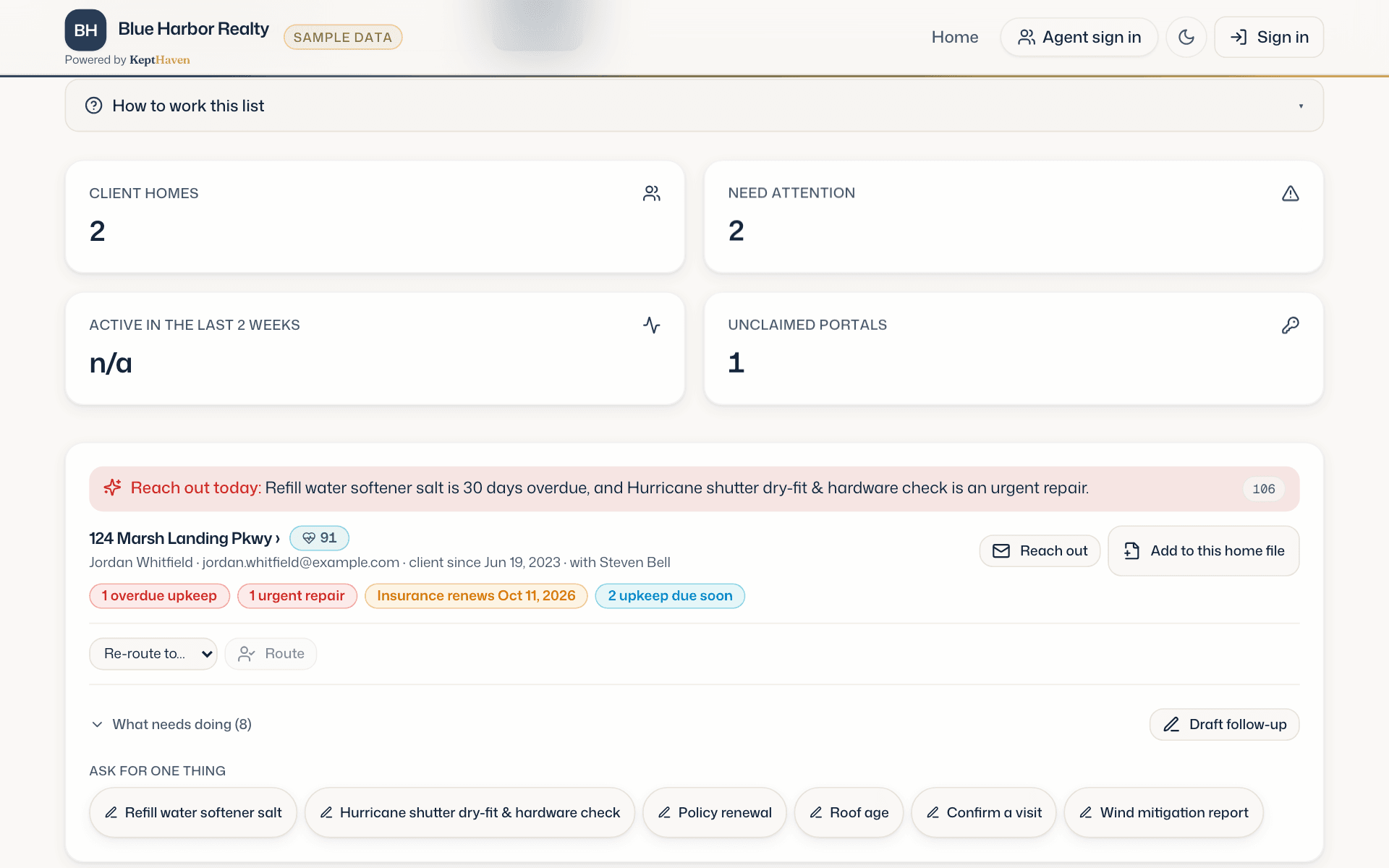
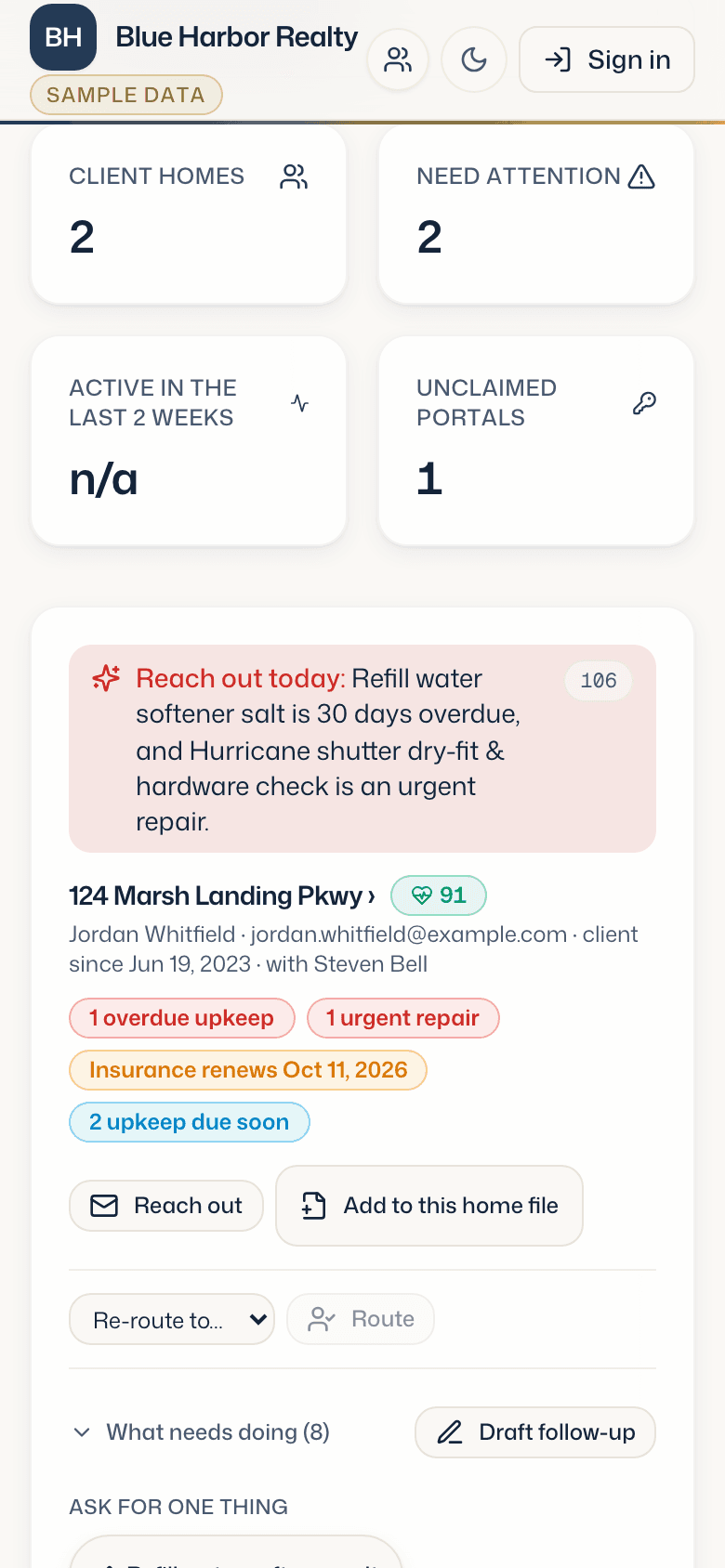
A call list for every agent
Each agent's concierge starts the day with the team's past clients worth calling, the reason, and a drafted note.
See who follows through
Which agents set up home files, which clients keep signing in, and which homes have gone quiet before the client does.
Clients stay with the team
When the team provides KeptHaven, the clients stay with the team. If an agent moves on, the home file stays and the agent card is reassigned to whoever takes over the client.
Closings your coordinator runs
Your transaction coordinator builds each closing plan, keeps the dates current and answers client questions. Clients follow along under your brand, and the plan becomes their home file at closing.

Your CRM stays the record
Connect Follow Up Boss and every new lead, client request and closing question is written there as a note or task, for the agent who owns the client.
The math for a 10-agent team
$9,480 a year is about one returning listing on a $400,000 home. A team that size has hundreds of past clients.
10 seats at $79 a month. One side of a $400,000 sale at 2.5% is $10,000 before splits. Example only.
Closings
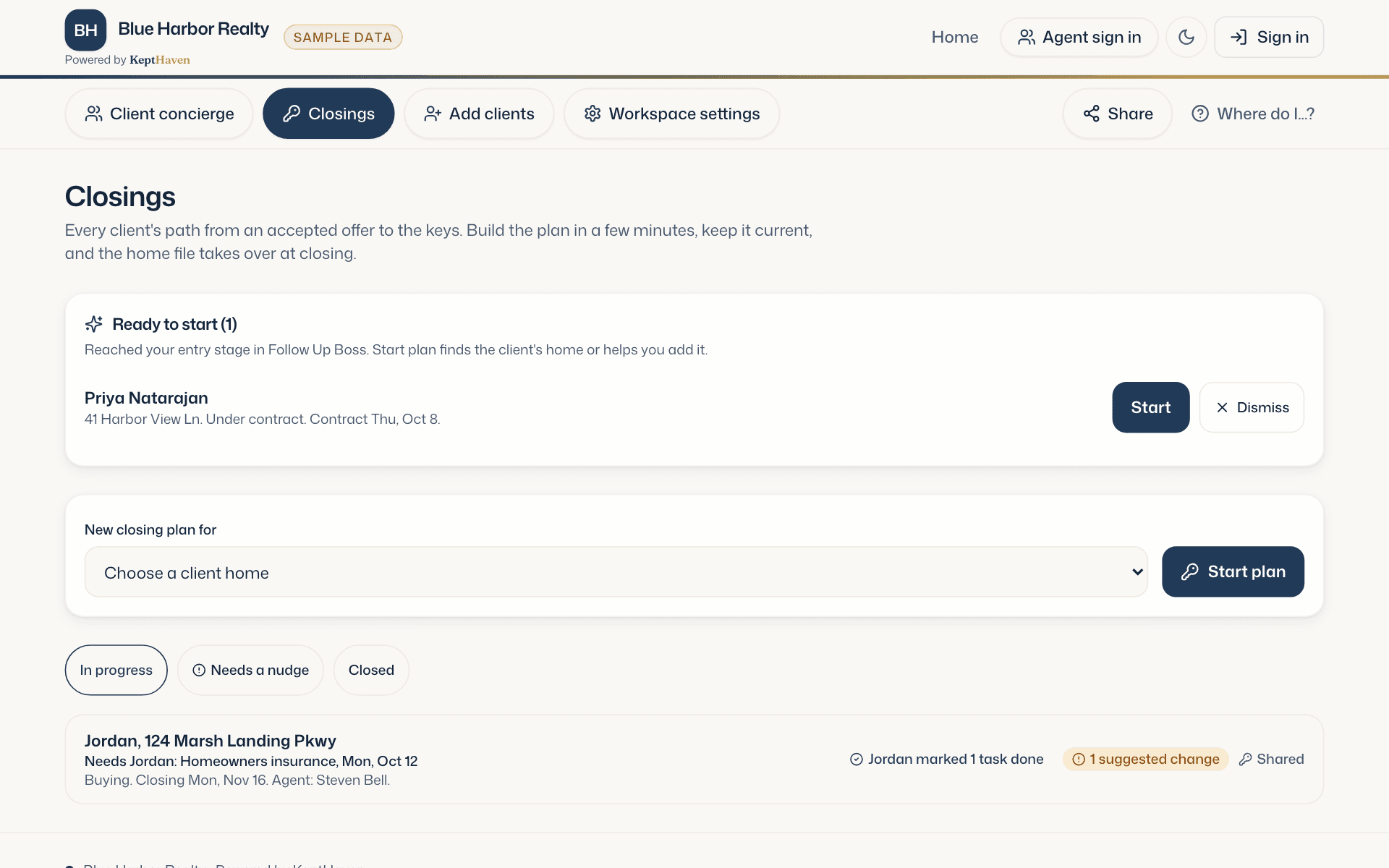
Every closing your team is running, on one screen.
Your coordinator sees every client's plan: what is in progress, what needs a nudge, and the changes clients suggest, waiting for a yes. Clients who reach your chosen stage in Follow Up Boss show up ready to start.
What you see as an admin
Three screens, filled with real activity from your agents and clients.
- Adoption
- Are your clients actually using their home files? Home files set up, invitations accepted, and sign-ins, as tiles for the brokerage and as a report by agent.
- Client activity
- The client concierge: every client home sorted by who to reach out to today, with the one reason it surfaced. Managers see which homes have gone quiet before the client does.
- Agent roster
- Seats, who holds them, and which homes each agent is assigned to. Reassign a client's agent card from here when someone moves on.
For brokerages
Keep every client your agents close doing business with your brokerage.
Each closing becomes a home file under your brand. Your agents get a daily list of past clients to call. You see who is working their past clients, and which homes have gone quiet before the client does.
Retention you can see
Every home your agents close stays in one place under your brand, with its documents, deadlines and upkeep. When the client is ready to move again, the file and the relationship are already with you.
Adoption, per agent
Home files set up, invitations accepted and sign-ins, by agent. Real activity from your agents and clients.
When an agent leaves
The home files stay with the brokerage. The agent card on each one is reassigned to whoever takes over the client.
Something to recruit with
Give your agents something the brokerage down the street does not: a post-closing system that hands them a reason to call every past client.
Getting started
1
Create your workspace
Name it, add your logo and colors, and choose the number of seats you need.
2
Import past clients
Bring in closings from the last few years by address. Each one becomes a home file an agent can finish with a walkthrough.
3
Invite your agents
Each agent gets a seat and a sign-in. Their name goes on the home files assigned to them.
See it on one of your own closings.
Open the sample home file first, no login. Then book fifteen minutes with Steven, bring a real address and your logo, and we build one live on the call.